

Visual content is big. And it is no longer a simple trend that will eventually go away. It has prevailed over plain text and has become a must-have marketing strategy for every business looking to get its message across.
Photos and videos are becoming the preferred means of communication for more and more companies – especially on Instagram, Facebook and Pinterest. Not only because visual content helps them convey their brand message in a simpler manner. Also because it makes the message easier to share. And we all know how powerful sharing can be.
Benefits of Watermarking
But before uploading our content online and dazzling our audiences with our creations, there’s an important step we should take. We need to watermark our images. This can be of use from two standpoints.
First of all, it can be an efficient technique to protect your content. It’s well-known that quality photos and videos are prone to theft in the online environment. This is why it’s advisable to try to protect them by adding your copyright, your signature or logo. This way you remind every internet user of the authorship of the content and that it can’t be downloaded and used without your permission. After all, quality content is the result of hard work and you deserve the credit.
Besides protection, watermarking has another benefit: it can turn into a powerful marketing tool. By tastefully branding your pictures and videos with a text or company logo, you not only create a professional look. You also expand your online visibility. Just imagine the impact if one of your photos goes viral and gets hundreds of shares.
Having your logo on that photo will definitely help you:
- Increase brand recognition
- Drive important traffic back to your website
- Possibly, gain some new clients
Now that we’ve established its advantages, let’s see how we can easily add a watermark to our images on the go. Of course, with the aid of mobile apps.
PhotoMarks


PhotoMarks uses non-destructive editing, which means you can perform as many changes as you’d like without altering the original image. Another cool feature is the ability to save your watermarks as profiles and use them later. This way you don’t have to follow the same steps and perform the same edits every time you need to insert a watermark. The app also allows you to share your photos directly on social platforms like Instagram, Facebook and Twitter or send them via email.
If you need to watermark multiple images at once, PhotoMarks also has a desktop version for both PC and Mac.
LogoLicious


With LogoLicious you can create your own templates and simply load them in future sessions to speed up the whole editing process. Besides watermarking, the app lets you optimize your photos by cropping and renaming them. Once you’re done editing, you can share your creations on the preferred social channels from within the app.
Watermark X

No matter what type of watermark you end up choosing, you can make multiple adjustments to it and put your stamp on the final design. You can place it wherever you want on the picture, change its size and color, or lower the opacity. It’s important to mention that the developers incorporate fresh templates on a constant basis, which means you’ll never run out of options.
Salt
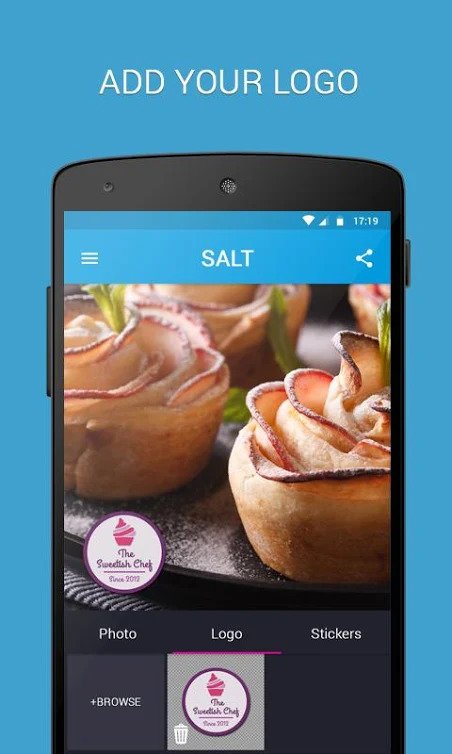

Additionally, if you find it suitable, the app gives you the option to add stickers to your photos. Salt is primarily a watermarking app, but offers other useful features as well. In that regard, users can resize their images, as well as crop them to specific formats to comply with the Facebook or Pinterest requirements. Once you’ve edited your picture, you can instantly share it on social media.
eZy Watermark

The app places multiple customization options for your marks at your disposal. You can choose the exact position and rotation, set the transparency to the desired level, select from numerous fonts or apply a shadow effect. You can edit your clips exactly how you please without any worries, since it won’t alter the original file. To help you save time and energy, the app allows you to save your watermarks and easily reuse them later.
Over To You
Do you use a different Watermarking app? Please share in the comments section, below.
Thanks!
You may also want to read: Visual Marketing: Either You’re In or Your Brand Is Out!
How To Create Visual Content That Builds Empathy With Your Brand
15 Top Tools for Creating Amazing Visual Content


Featured image: Copyright: ‘https://www.123rf.com/profile_paylessimages‘ / 123RF Stock Photo


CURATTI GUEST